Savor is a complete, full-stack food-delivery application in Java. Customers browse restaurants, fill a cart and pay; the restaurant accepts and cooks the order; the nearest courier collects it and brings it to the door while the customer follows it on a map; an administrator runs the service. Use it to build your own branded delivery marketplace, or a single restaurant’s ordering app, with Codename One.
Generate your project · Read the user’s guide · Browse the source
In the Initializr, choose the Savor food-delivery template, set your application name and package, and generate the project. The application source is licensed under MIT-0: you can modify it, use it commercially and keep your changes private without royalties.
What comes with the application?
| Part | Included workflows |
|---|---|
| Customer | Choose a delivery address, browse restaurants by cuisine or dish, build an order with options, apply a promo code and tip, follow the order on a map, reorder and keep favorites |
| Restaurant | Accept orders with a preparation time or reject them, mark them ready, pause the kitchen, edit the menu and photos, view sales |
| Courier | Apply with documents, go online, accept nearby deliveries, collect and deliver, view and cash out earnings |
| Administration | Approve restaurants and couriers, flag or block accounts, cancel and refund orders, set prices and promos, view the service in charts |
| Java backend | Accounts and roles, phone verification, menus, dispatch, order and delivery state, payments, payouts and live updates over WebSocket |
| Shared code | API contracts and data classes shared between the client and server |
The account’s roles decide which screens a person sees. The same client project targets iOS, Android, desktop and the web, and the server runs on SQLite, PostgreSQL, MySQL and MariaDB.
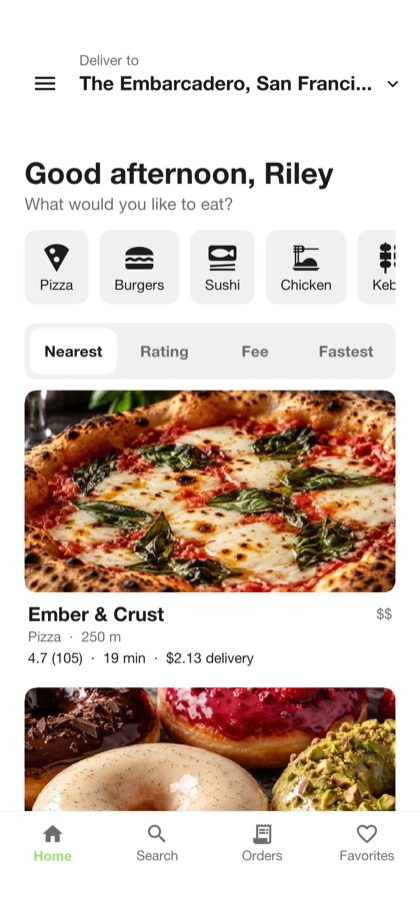
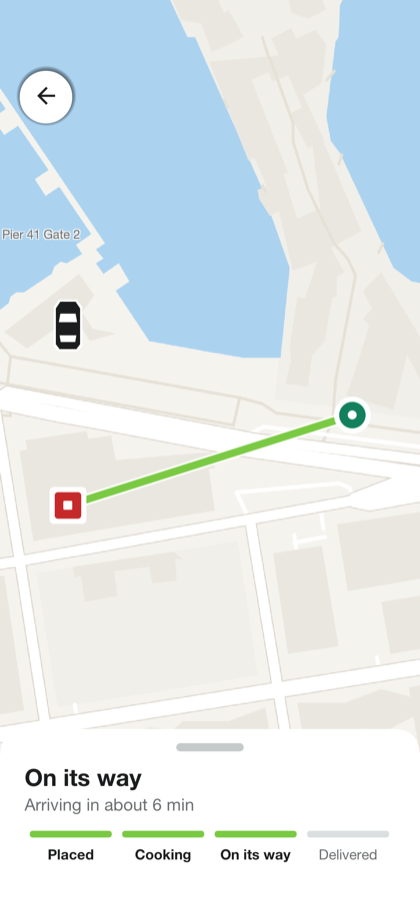
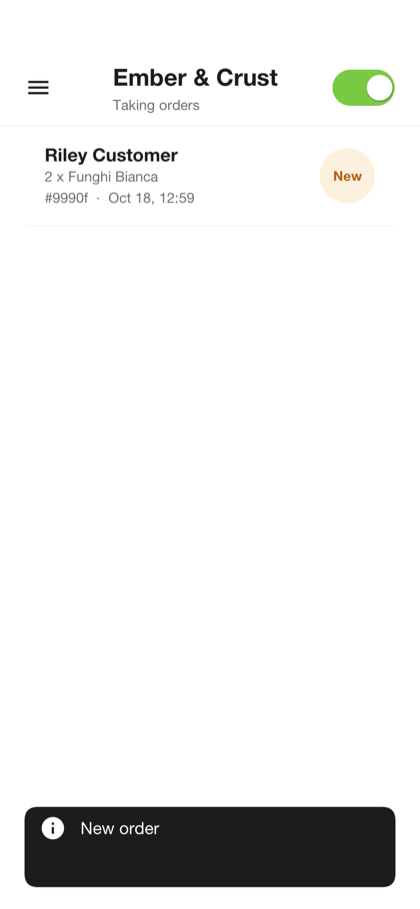
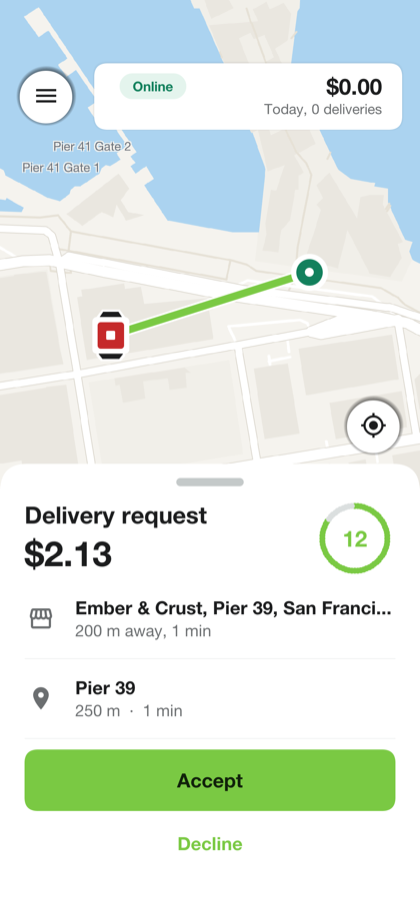
From first run to customization
- Run the project. The development profile needs nothing installed: an in-memory database, demo accounts, twelve restaurants and a simulated kitchen and courier, so one customer can follow an order end to end.
- Try every role. The user’s guide walks through the customer, restaurant, courier and admin screens with the demo accounts and test cards.
- Customize and deploy. The implementor’s guide covers branding, a single-restaurant or marketplace setup, billing, maps, sign-in, text messages, analytics, the database and hosting.
What does a live service still need?
Savor supplies the connected application and its source. Running a delivery service also requires your own hosting, provider configuration and operational testing.
Development uses simulated payments. The Stripe integration is a starting point tested with stand-in responses; it has not been run against a live Stripe account. Before accepting real money, test it with a Stripe test key and complete the payout handling your service needs. Text messages need a configured provider (Twilio, Vonage or MessageBird), which may charge fees.
Looking for ride hailing?
Wayline is the sibling sample for taxi and ride-sharing services: rider, driver and admin apps on the same architecture.